Is this your company?Buyers are checking Blue Mango Learning Systems LLC here. Claim screensteps.com free to control the listing, earn the badge buyers trust, and see who's evaluating you.
Update to Our Subprocessor List- July 8, 2024Jul 2024
We have recently updated our list of subprocessors. We are excited to announce the addition of OpenAI to our subprocessor team. Please subscribe to receive future updates about our subprocessor list.
This listing is partial
6/11 details · 55%
SOC2C shows the verified essentials. 5 details are not yet provided by the company. Trust centers list more, so we invite the owner to fill the gaps here.
Auditorraises trust
Add the CPA firm that issued your SOC 2 so buyers can verify who signed it.
Report dateraises trust
Add your most recent report period so buyers see how current your SOC 2 is.
Renewal date
Add your renewal window so buyers know your coverage is active.
Other certifications
List your other frameworks (ISO 27001, HIPAA, PCI DSS) the way your trust center does.
Verify your work email to take ownership, earn the badge buyers trust, and add the details that win deals.
Frequently asked
Is Blue Mango Learning Systems LLC SOC 2 compliant?
Blue Mango Learning Systems LLC is SOC 2 Type II compliant. On SOC2C this listing is Listed.
Is Blue Mango Learning Systems LLC SOC 2 Type I or Type II?
Blue Mango Learning Systems LLC is SOC 2 Type II compliant. A Type II report covers how security controls operated over a period (typically 3 to 12 months), a stronger signal than a point-in-time Type I.
Can I use Blue Mango Learning Systems LLC's SOC 2 for a vendor risk assessment?
Yes. Blue Mango Learning Systems LLC's SOC 2 status, frameworks, auditor, and renewal timing are on SOC2C for vendor risk and security reviews. Request the underlying report through SOC2C to complete your third-party risk file.
Is Blue Mango Learning Systems LLC penetration tested?
Blue Mango Learning Systems LLC hasn't listed its penetration testing on SOC2C yet. SOC 2 Type II programs typically include periodic third-party penetration tests; the company can add who performed theirs.
Can I get Blue Mango Learning Systems LLC's SOC 2 report?
Blue Mango Learning Systems LLC's SOC 2 report is available on request. Request access through SOC2C and we coordinate the company-side NDA and delivery.
Is Blue Mango Learning Systems LLC secure?
Security isn't a single yes/no, but Blue Mango Learning Systems LLC is SOC 2 Type II compliant. SOC2C verifies its compliance posture and shows how strongly each fact is proven.
Does Blue Mango Learning Systems LLC have a bug bounty or vulnerability disclosure program?
Blue Mango Learning Systems LLC hasn't listed a bug bounty or vulnerability disclosure program on SOC2C. Many companies accept security reports at security@screensteps.com or via a /security page (Blue Mango Learning Systems LLC lists a security contact).
Who are Blue Mango Learning Systems LLC's subprocessors?
Blue Mango Learning Systems LLC lists 20 subprocessors on its trust center, including Amazon Web Services, Inc., Chargebee, Inc., Cloudflare, Datadog, DocRaptor (Expected Behavior, LLC). Buyers use this for fourth-party risk review.
Where does Blue Mango Learning Systems LLC host or store data?
Blue Mango Learning Systems LLC hosts on AWS, and handles Customer personally identifiable information, Employee personally identifiable information, Credit card information, Personal health information. Data residency details are on its trust center.
Where is Blue Mango Learning Systems LLC's trust center or security page?
Blue Mango Learning Systems LLC's trust center is at https://trust.screensteps.com. Its verified SOC 2 status, frameworks, and documents are summarized on its SOC2C profile.
ScreenSteps Overview
ScreenSteps is a SaaS application that runs in the cloud. While it does have a desktop application that allows users to edit article content, all data is stored and delivered from servers managed by ScreenSteps. This document provides a brief overview of steps taken by ScreenSteps to ensure that the application is secure and that customer data is handled according to accepted security standards. - Once a year ScreenSteps has a penetration test performed against the web application by security and vulnerability professionals in order to locate any security deficiencies. We contract with Netragard to perform this service. They have certified us against the OWASP top 10 list of security vulnerabilities. - ScreenSteps employs a SOC-2 certified company to manage development operations. This team helps us keep our application, database, and utility working around the clock and up to date with security patches. - ScreenSteps runs on Amazon AWS. The application is delivered from servers in the us-east region. A disaster recovery environment is maintained in the us-west region. The databases in the recovery environment mirror the databases in the production environment so that a switch can be made quickly in case something happens to us-east. - ScreenSteps uses Cloudflare which contributes to our high availability infrastructure by providing firewall, DDoS attack protection, DNS, and CDN services. - ScreenSteps uses an advanced in-app security service which provides a RASP (Runtime Application Self-Protection) and In-App WAF (Web Application Firewall). This helps protect against Account Takeovers, protects against the OWASP top 10, SQL injections, and more. - The application environment is routinely monitored for out-of-date libraries with known vulnerabilities so that they can be updated. - Access to the production server is limited based on role. Those with access can deploy updates, run the disaster recovery play book, or troubleshoot issues with customer data when…
Do ScreenSteps employees have access to customer data?
- Employee access to customer information is controlled based on role. - We use staging and development environments so that developers who do not need production access do not have access to customer data. - Support personnel have limited access to customer data as needed to offer support. - Employees with access to sensitive customer data use computers with encrypted hard drives. - Employee computers are monitored to ensure they are configured securely. - Employees are required to go through security training.
IT Summary for the ScreenSteps desktop application and Browser Extension
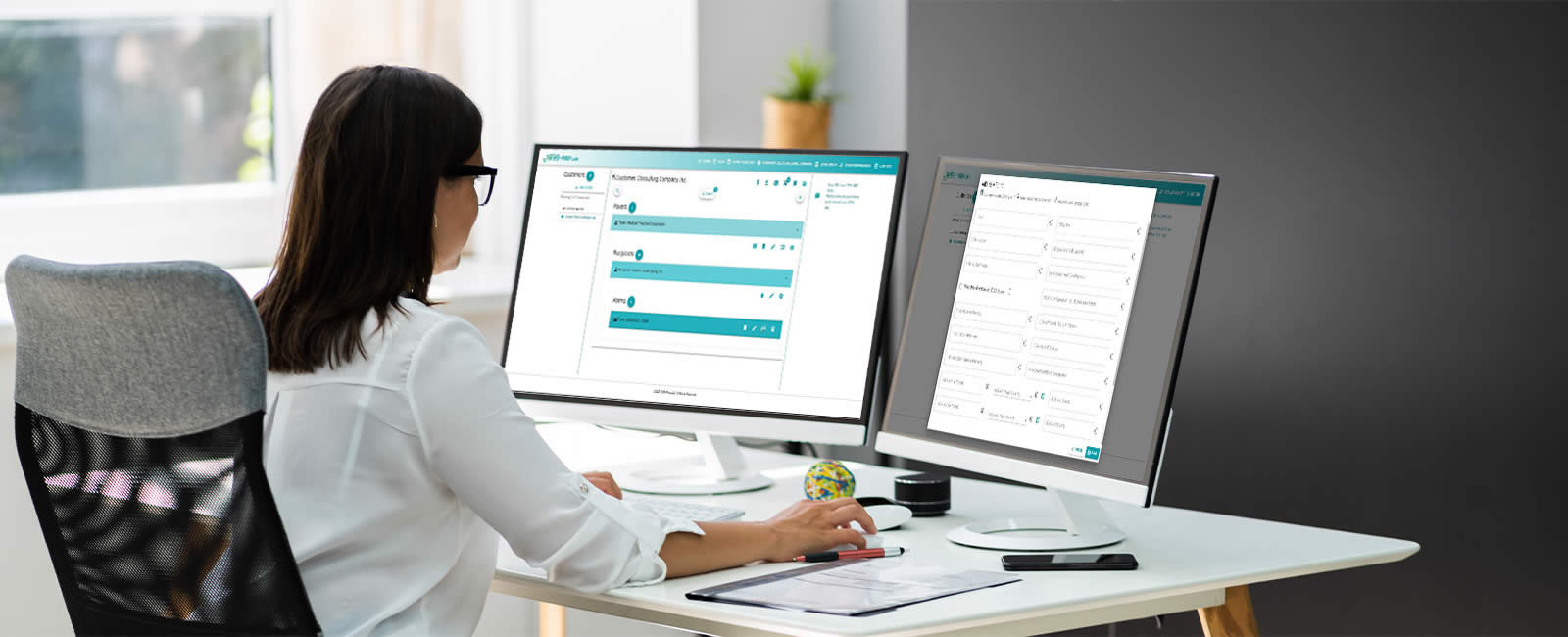
# ScreenSteps Desktop IT Summary The ScreenSteps desktop application is an editor for articles in the ScreenSteps web application. This document describes issues that are of interest to an IT department that manages the installation of desktop software on employee computers. While the desktop application is available for both Windows and macOS, this document will focus on Windows. - The ScreenSteps desktop application has been signed with our developer certificates for Windows and macOS. The application has been notarized on macOS. - The ScreenSteps desktop installer for Windows can be installed for all users on a computer or for the current user if no Admin rights are available. There is also an MSI installer package available. - The desktop software includes an automatic update feature using the WinSparkle framework on Windows. Updating the application requires the same permissions as the original installer. While auto update checks can be turned off in preferences, the IT department can specifically turn off updates by setting the _HKEY\_LOCAL\_MACHINE\\Software\\ScreenSteps\\4\\Settings\\CheckForUpdates_ to _never_. The MSI installer automatically sets the registry entry to _never_ so that all updates are controlled by the IT department. - The desktop software requests data from a couple of different domains that may need to be whitelisted in your environment. You can find the list of domains in the following help article: https://help.screensteps.com/m/9096/l/692851-screensteps-desktop-whitelist-domains - The desktop software includes a screen capture feature. If the security software running on your computers requires applications to be whitelisted in order to capture the screen then ScreenSteps will need to be added to the whitelist. # ScreenSteps Browser Extension IT Summary The ScreenSteps Browser extension allows you to provide your employees with the information and guidance they need in any web application they access through the Google Chrome or…
What is ScreenSteps Privacy Policy?
Our privacy policy can be found at the following url: https://www.screensteps.com/privacy-policy
What is ScreenSteps' privacy policy when it comes to our AI tools?
Overview of AI in ScreenSteps ----------------------------- ScreenSteps integrates artificial intelligence (AI) through partnerships with third-party providers to enhance its platform. These AI services are used exclusively to support features within ScreenSteps, such as content creation, search enhancement, and chatbot functionality. All AI usage is governed by enterprise agreements to ensure security and privacy. - AI is integrated to improve user experience and productivity. - Third-party AI providers are contractually bound to enterprise-level agreements. - AI services are only used within the context of ScreenSteps features. - No third-party models are trained on customer data. Key Terms --------- Understanding the following terms will help clarify how AI is used in ScreenSteps: - AI Partner: A third-party company that provides artificial intelligence services integrated into ScreenSteps. - Human in the Loop: A process where a human reviews and approves AI-generated content before it is published. - Content Authoring: The creation and structuring of articles, often assisted by AI to improve clarity and usability. - Chatbot: An AI-powered tool that can answer questions and provide summary information from the system. - Human oversight is always present in content creation. Background and Context ---------------------- ScreenSteps uses AI in several ways, depending on which features are enabled in your account. The main applications include: - Content Authoring (optional): AI assists in generating and organizing content, such as capturing audio, screenshots, or text and structuring it into articles using preset templates. - Search Enhancement (required): AI is used to improve the relevance and accuracy of search results within the platform. - Chatbot Functionality (optional): AI may power chatbots that allow users to query the system and receive summarized information. - AI optional features can be configured based on account settings. Future uses of AI in…